 luna
lunaIn this guide
Two compatible iPhones or iPads can become a baby monitor: one provides the camera and microphone in the baby’s room, while the other stays with you as the receiver. Luna needs no separate baby monitor camera. A spare iPad or an old iPhone can work, as long as both devices support iOS or iPadOS 15 or later and have internet access.
1. Prepare the Baby Station and Parent Station
Install Luna on both iPhones or iPads and open the app. The device in your child's room becomes the Baby Station; the device you keep with you becomes the Parent Station. Choose the corresponding role on each device. You do not need to create a separate Luna account. Keep both devices within reach while you approve permissions and the pairing request.
Check that both devices have working internet access. A Wi-Fi icon alone does not confirm this. If necessary, open a webpage, then return to Luna. Charge both devices before setting up. Labels and the position of controls may differ between app versions.
2. Pair the two devices
Keep Luna open on the Baby Station. On the Parent Station, look for that device in the nearby device list and select it. If it does not appear, use manual pairing: enter the nine-digit code currently displayed on the Baby Station into the Parent Station. Compare all nine digits on the two screens.
Return to the Baby Station and approve the pairing request from the correct parent device. Wait for the connected state, then start monitoring on the Parent Station. A saved device in the list does not necessarily mean that its Baby Station is currently active.
3. Allow the microphone and optional camera
Allow microphone access for Luna on the Baby Station so that it can detect and transmit sound. If you also want a live picture, activate the camera on the Baby Station and allow camera access. Position the device before confirming camera activation.
For the video test, leave Luna open and the baby device awake. Background monitoring on the parent device and camera operation on the baby device are separate functions. Move the devices into different rooms for the audio test so that the Parent Station's speaker does not feed back into the baby's microphone.
For the next settings, see the guide to audio, video and sound sensitivity.
4. Test the connection, sound and alert
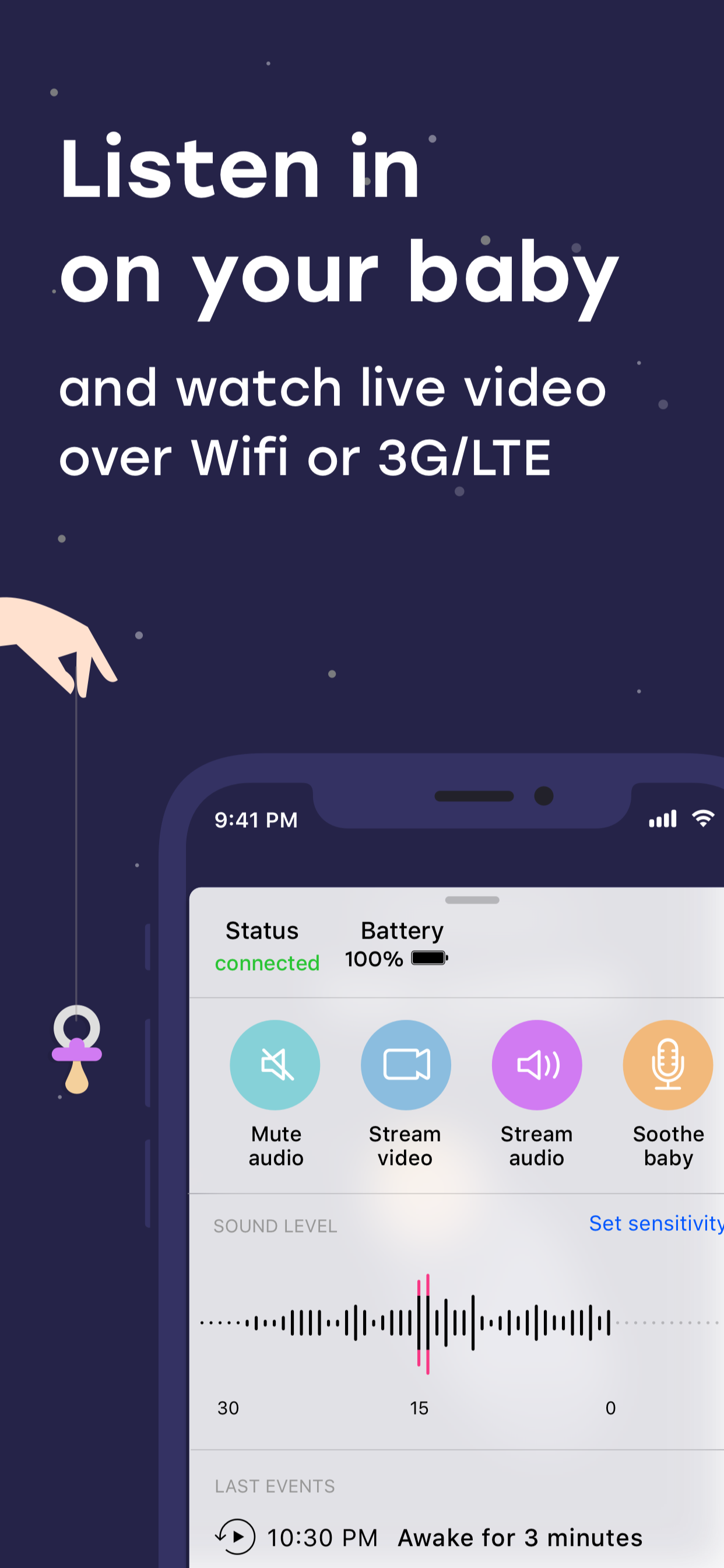
Start live listening on the Parent Station and speak at a normal volume near the baby device. Check that you can hear the sound and that the sound-level display responds. Adjust sensitivity to the actual background noise in the room. Also check that alerts are not muted and that the volume is suitable.
Allow notifications on the parent device. Repeat your test using the screen and app state you intend to use later, such as a locked parent iPhone. Check an active Focus separately. Repeat the connection test after changing Wi-Fi networks, location or device settings.
Before you start
- Both devices support iOS or iPadOS 15.0 or later.
- Luna is installed and the stations are connected.
- Each device has internet access and enough power.
- Audio, video and sensitivity have been checked.
- The baby station and cables are safely out of reach.
A few more questions?
Luna's monitoring setup uses two devices: one near your baby and another with you as the parent station.
No. Check the current App Store requirements and the phone's condition. Both devices need iOS or iPadOS 15.0 or later.
Yes. Luna supports compatible iPhones and iPads, so choose the combination that fits your available devices.
No, if it connects to the internet over Wi-Fi. A Wi-Fi-only iPad can also serve as either station. Without Wi-Fi, that device needs another working internet connection.
This Luna app needs two supported Apple devices. An iPhone and an Android phone alone are not a compatible pair. An additional compatible iPad could serve as the second station.
Sources & further information
This guide explains Luna’s features using the available product information. Labels and offers may change with app updates.
Try it with Luna
Connect two iPhones or iPads and use them as a baby monitor.
Download LunaFree download · In-app purchases